Operations Dashboard
Flight training operations, visualised.
A live operations dashboard purpose-built for flight training units. Every course, every student, one screen.
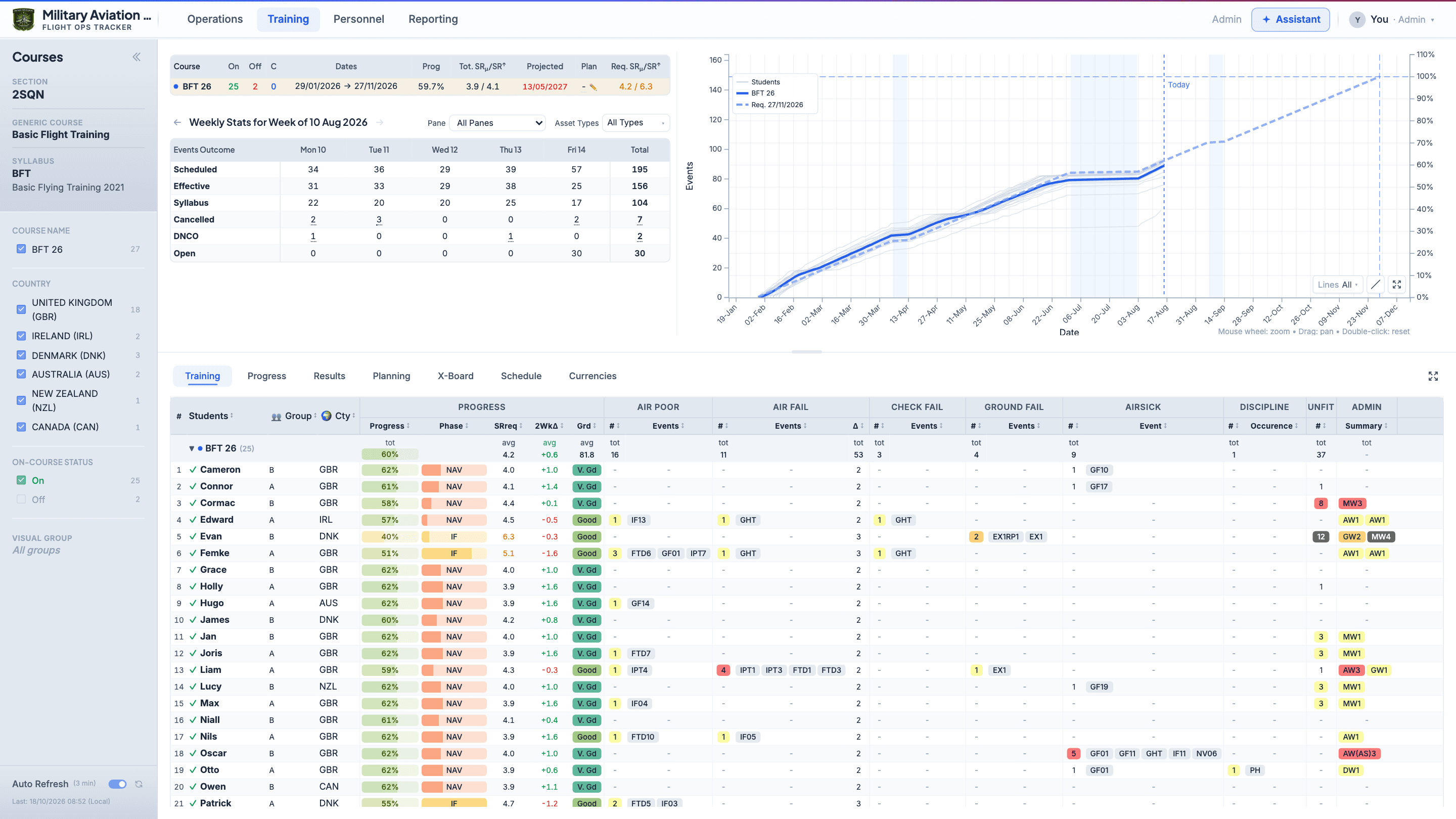
Operations Dashboard
A live operations dashboard purpose-built for flight training units. Every course, every student, one screen.
Also on YouTube
The Vision
AI & automation
Briefs, warning letters, natural-language queries
Insights & analytics
Dashboards, progress tracking, reporting, export
Data foundation
Every student, every event, every grade
Every layer matters. Skip one and the one above collapses.
Your training system manages every detail of flight training — the students, the missions, the grades, the schedule. It's the foundation everything else stands on. This platform adds the analytics and visualisation layer that turns that data into operational insight — dashboards, progress tracking, and exportable reports.
That structured insight layer is what makes AI credible. Not the other way around. The data and the analysis come first — the intelligence follows.
The operations layer
Your training system holds every student, every mission, every grade. This platform reads that data and adds dashboards, progress tracking, and operational insights across the entire training operation.
Your training system holds every student, every event, every grade. This platform brings it all together into a single live view — so leadership can see the full picture without switching between screens.
Weekly briefs, student progress exports, PowerPoint-ready output. The reports you were going to build anyway — generated from your training data, already formatted.
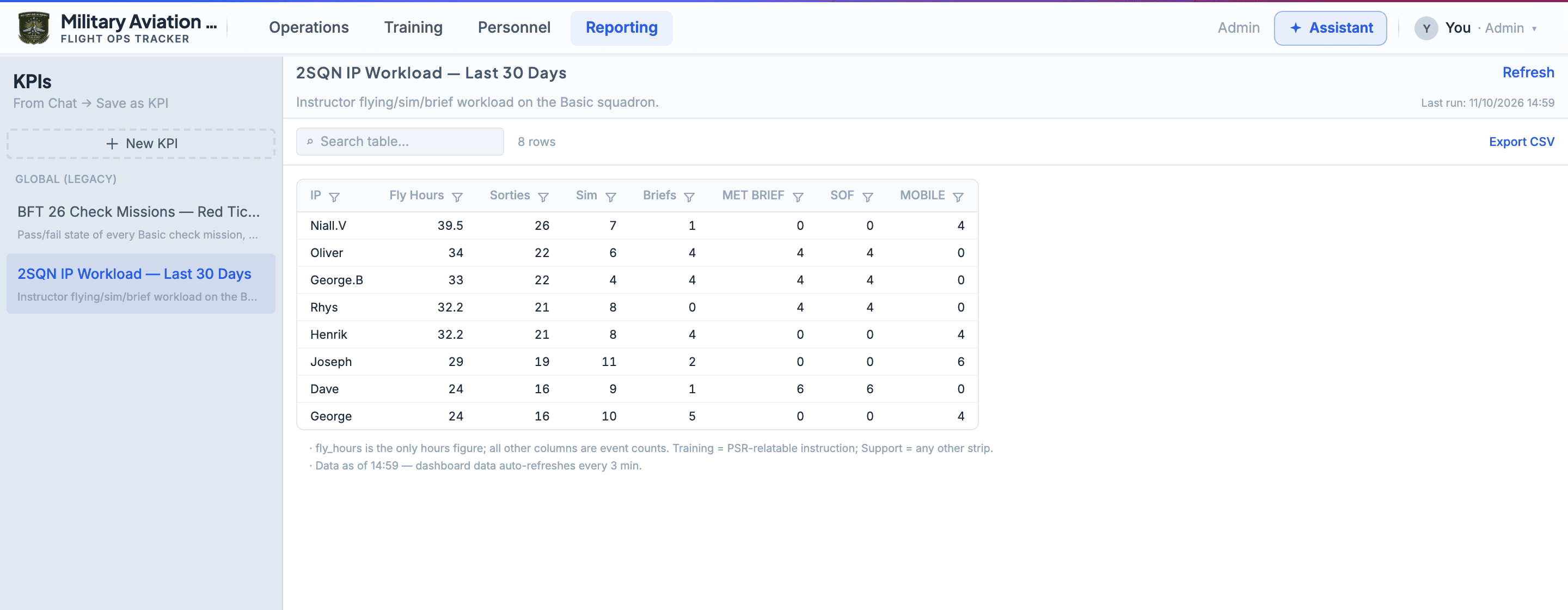
Ask for the table you need — hours per instructor, flights lost to weather — and save it as a KPI to run again any week. No spreadsheets, no data team.
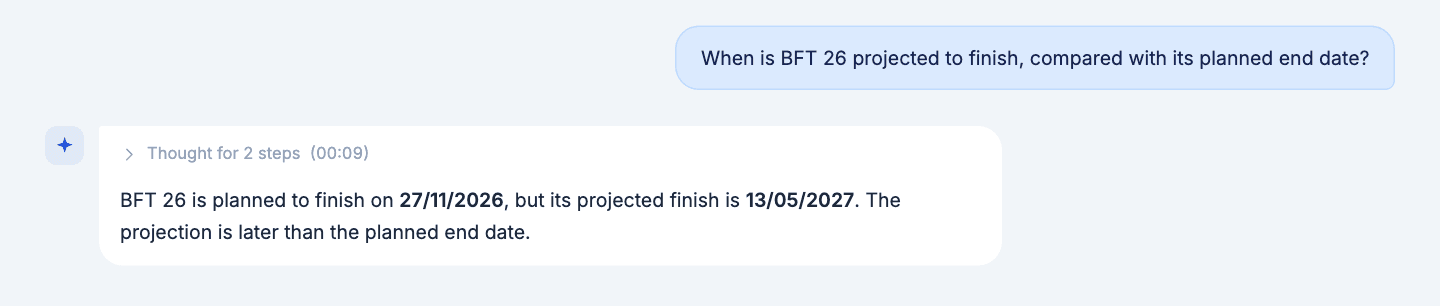
The assistant answers from the same structured data the dashboards show, so its answers can be checked against the pages. Ask about courses, students, flying hours and more, in plain English.
Timeline
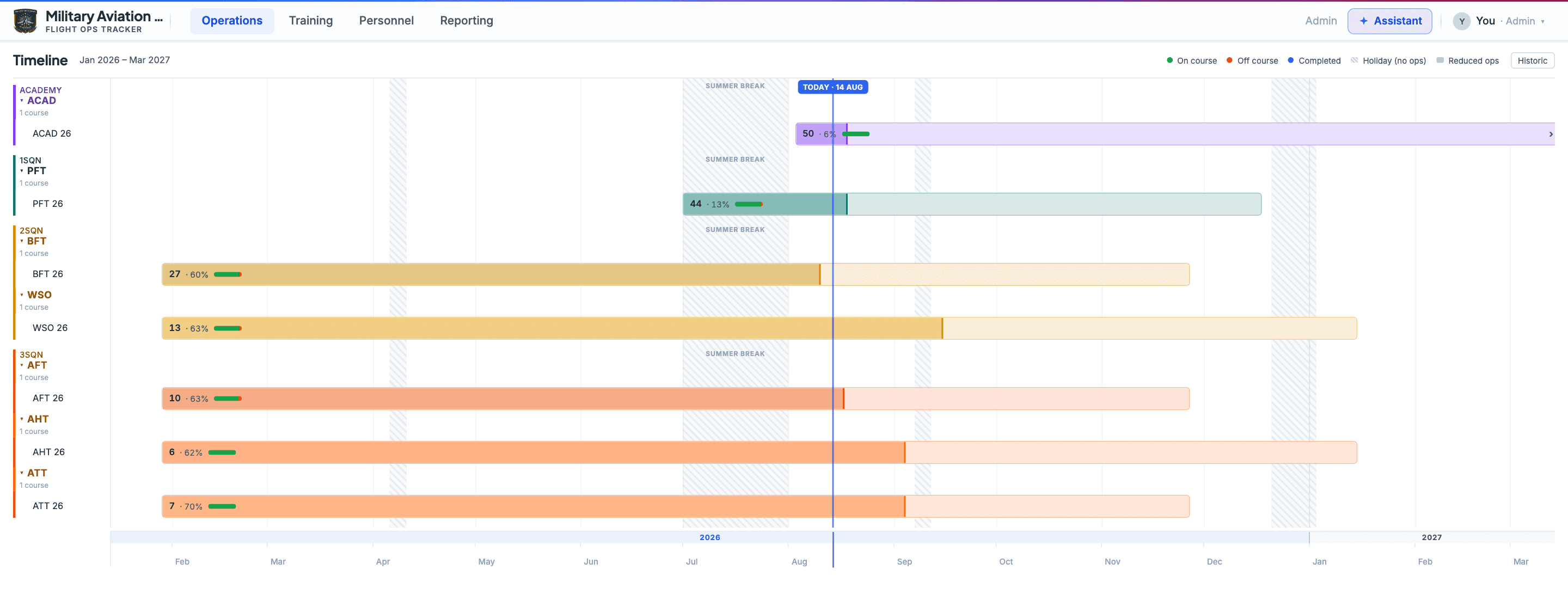
Every course running across your unit, laid out against the calendar and grouped by squadron. Each bar runs from start to planned end, and its darker part shows whether the course is ahead of or behind its plan when read against the Today line. In three seconds you can see how everything fits together.
Courses
Progress charts, weekly statistics, the X-Board wall chart and conditional formatting — everything you need to know about a course, presented the way your weekly brief already looks.
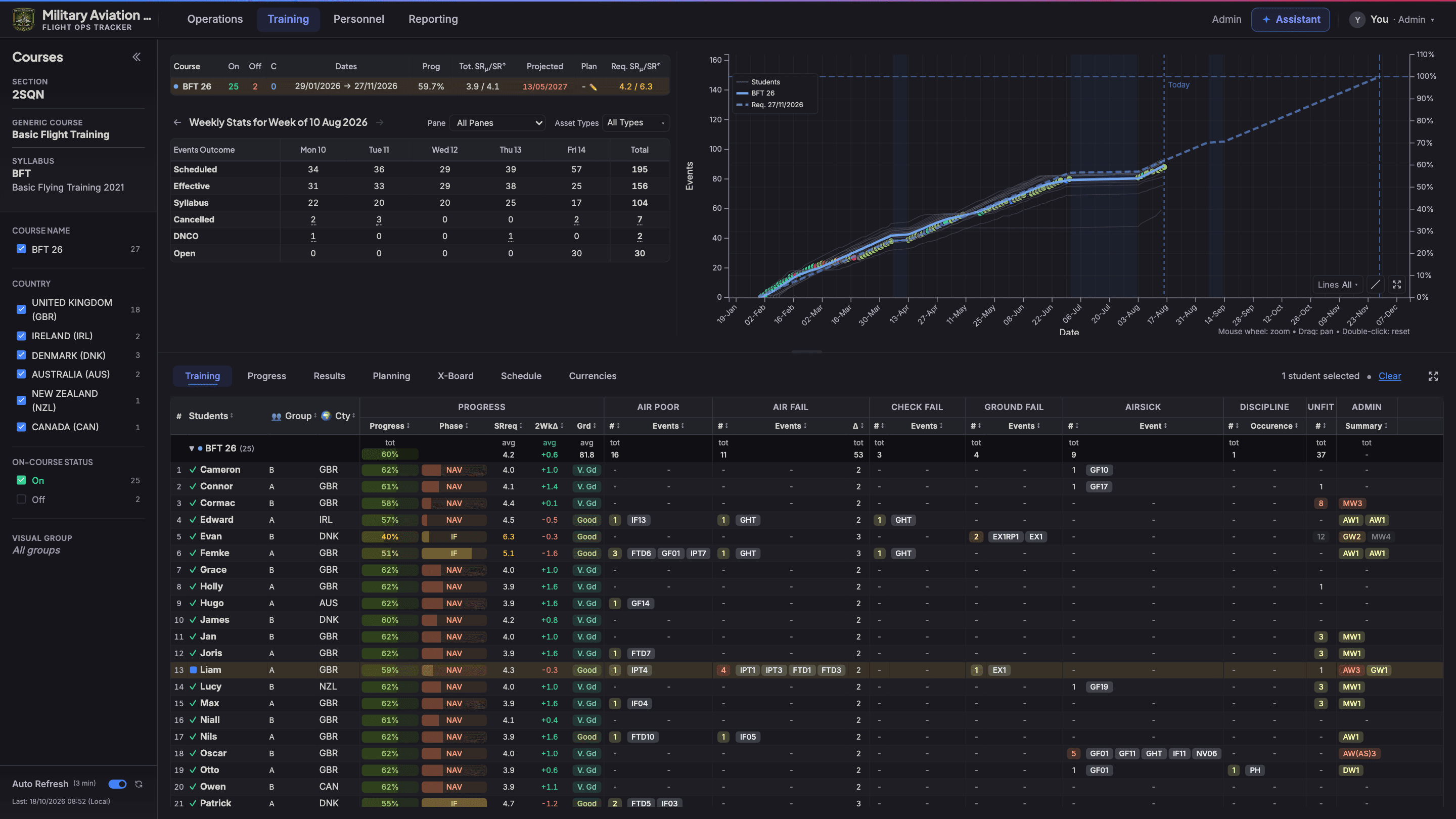
PowerPoint Export
Export the current course view directly to PowerPoint — course summary, progress chart, full student table. Ready to drop into your weekly brief without rebuilding from scratch.
Students
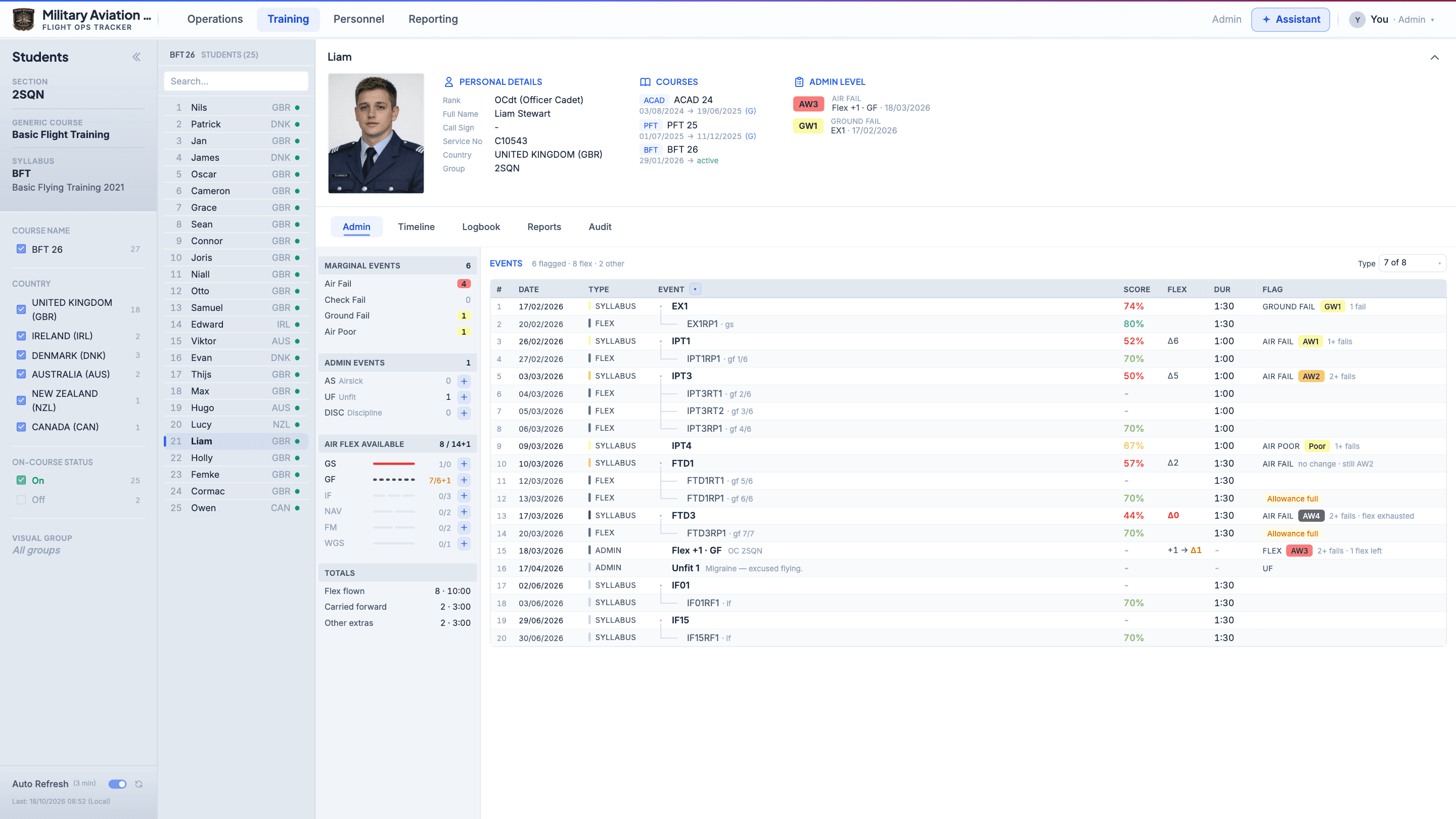
Pick a student and see everything — personal details and course history, admin level, every flagged event and extra mission, a day-by-day timeline, the logbook and warning letters. The answer to 'tell me about this student' in five seconds.
Metrics
Ask the assistant a question that answers with a table, then click Save as KPI. The question is kept, not just the figures: refresh it any time and it runs again on current data, without the AI.
AI Chat
A chat assistant that looks its answers up in the same training data as the dashboard. Ask in plain English about courses, students, flying hours and more; every answer lists the look-ups it made, so it can be checked.
A consolidated data layer with intelligence on top. The obvious foundation for everything that comes next.
Deployment
Training database
SQL Server
Flight Ops Tracker
Docker container
Your Browser
Any device on network
Docker container on your local network. Nothing hosted externally.
Reads your training system's SQL Server database. Never writes back. Zero risk to your system of record.
Runs without the internet and can be air-gapped. The assistant runs on your own server; a cloud AI model is an option only where your rules allow.
Refreshes from the training database every few minutes, on an interval you set. The dashboard stays current.
Get Started
Book a walkthrough and we'll show you how it looks on your own training data. No commitment, no sales deck — just the product.